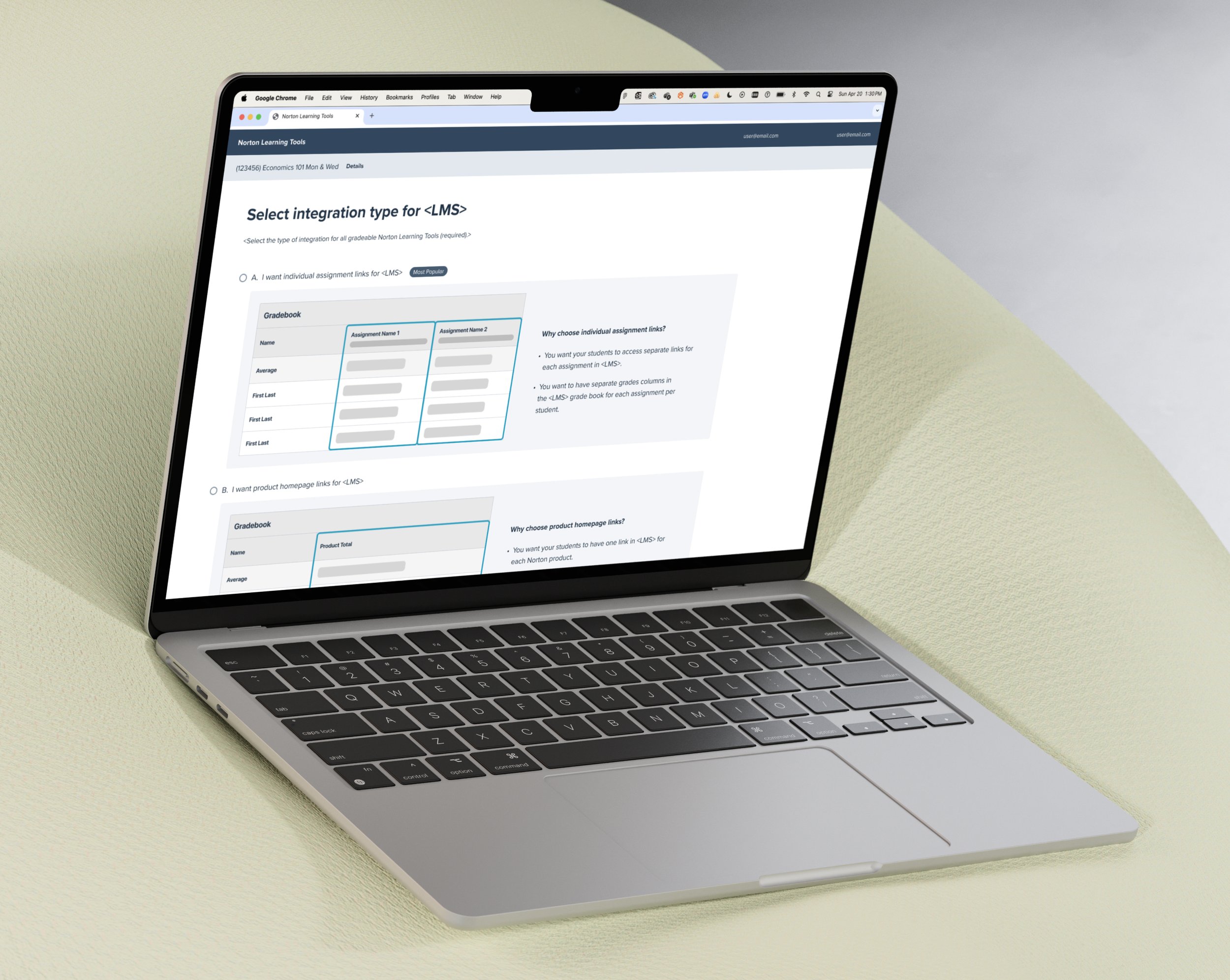
W. W. Norton & Company’s Deep Linking Tool
Overview
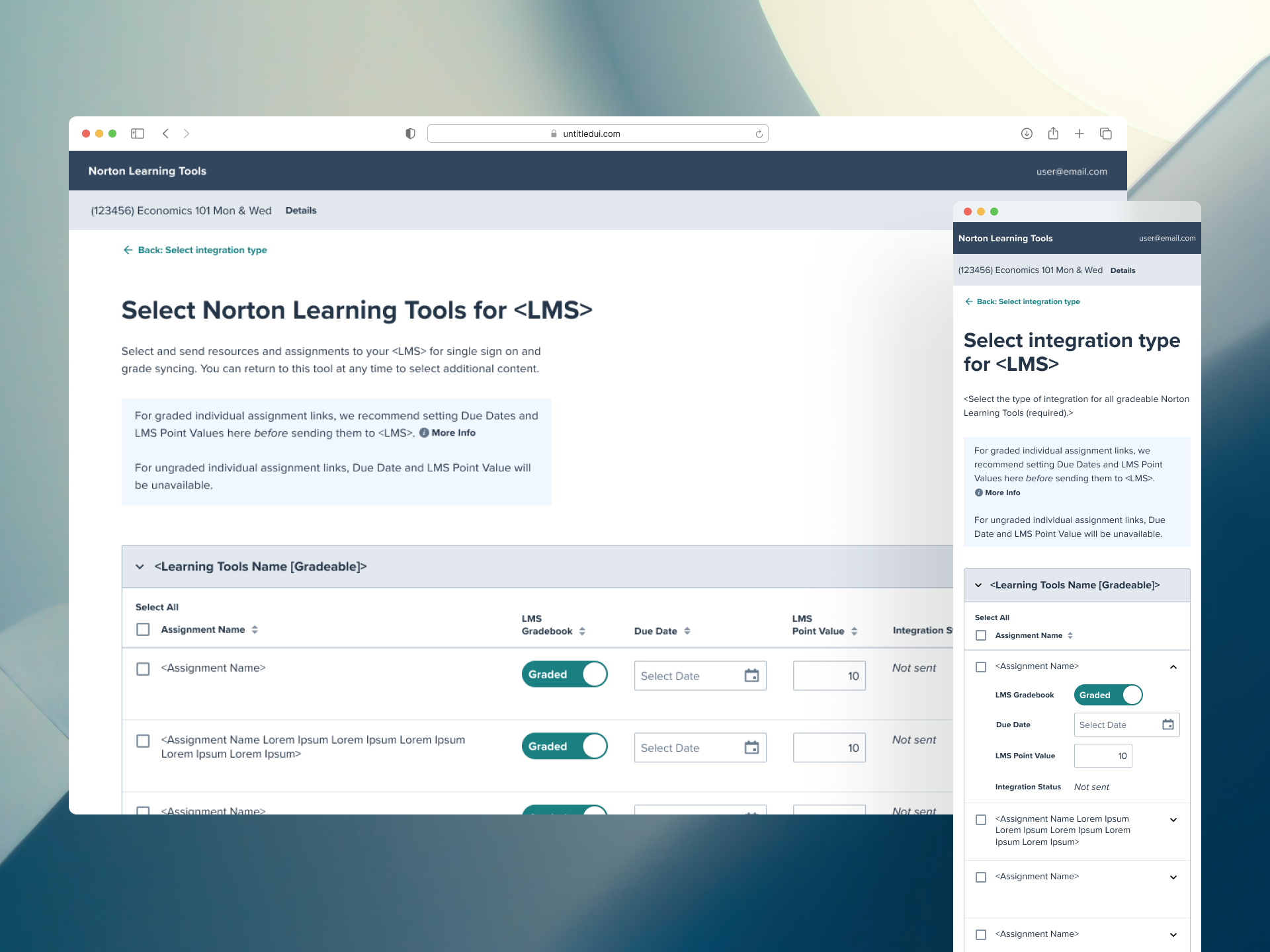
The redesign of the Norton Deep Linking Tool responded to Norton’s need to capitalize on its digital product integration market and the instructors' need for more flexible and customizable course setup. It allows instructors to create both graded and ungraded assignments across Norton’s core digital products—Illumine Ebook, InQuizitive, and Smartwork—giving them greater control over how and when content is delivered within their courses.
My Role
Lead Designer
Interaction Designer
Prototype
Design System
Platform
Responsive Web
Year
2024 - Present
Problem
The Product Owner highlighted three key issues with the original Deep Linking Tool (designed in 2021):
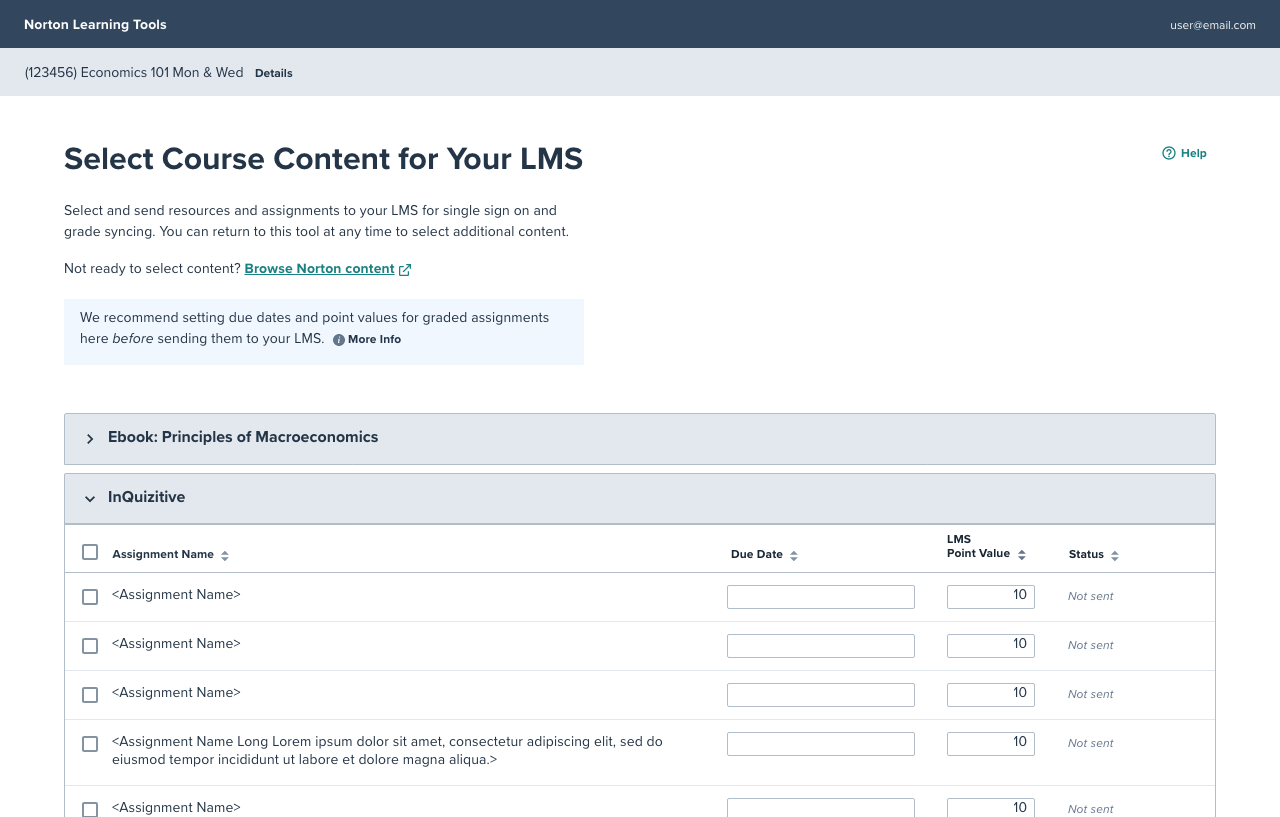
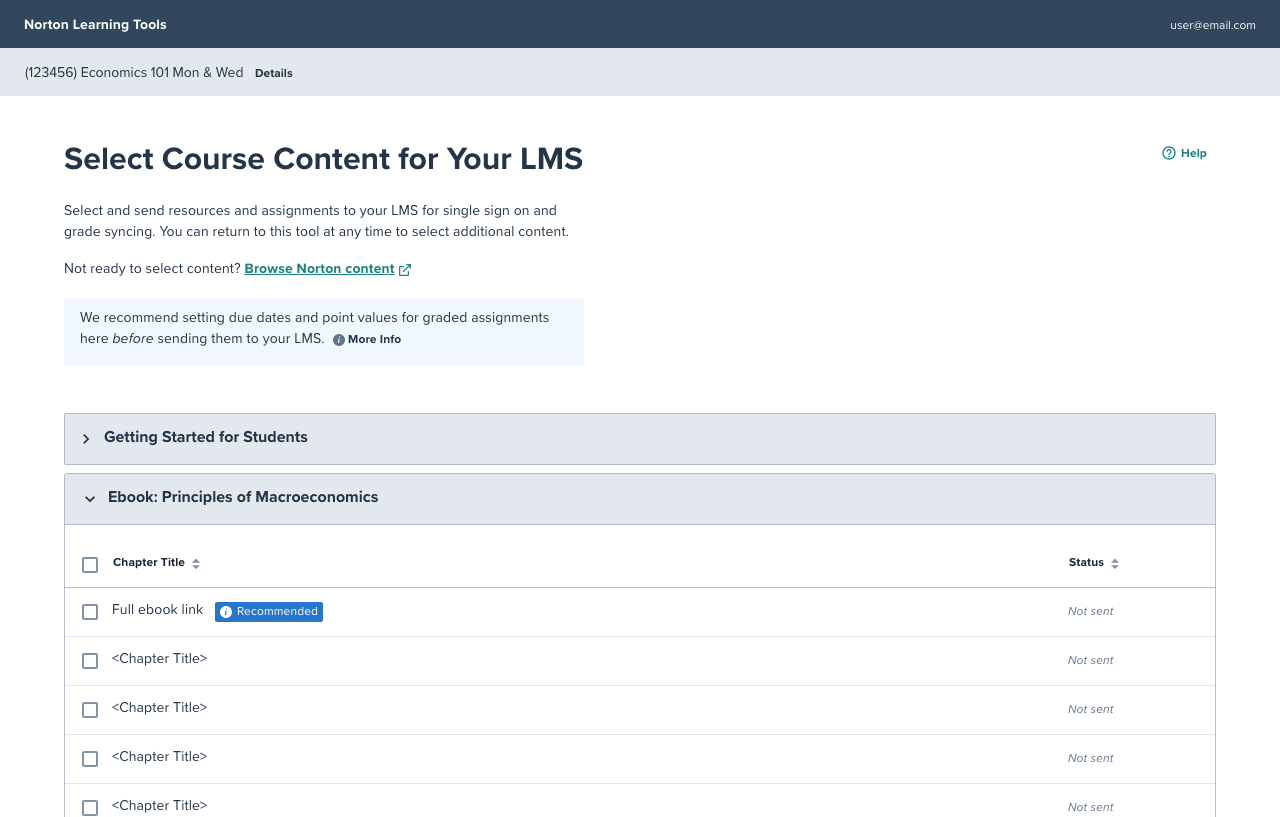
1. Misaligned Assignment Model
The tool’s existing assignment framework didn’t support the Norton Illumine Ebook’s low-stakes, summative assessment model, unlike InQuizitive and Smartwork which followed more traditional, high-stakes assignment structures.
2. Lack of Integration Flexibility
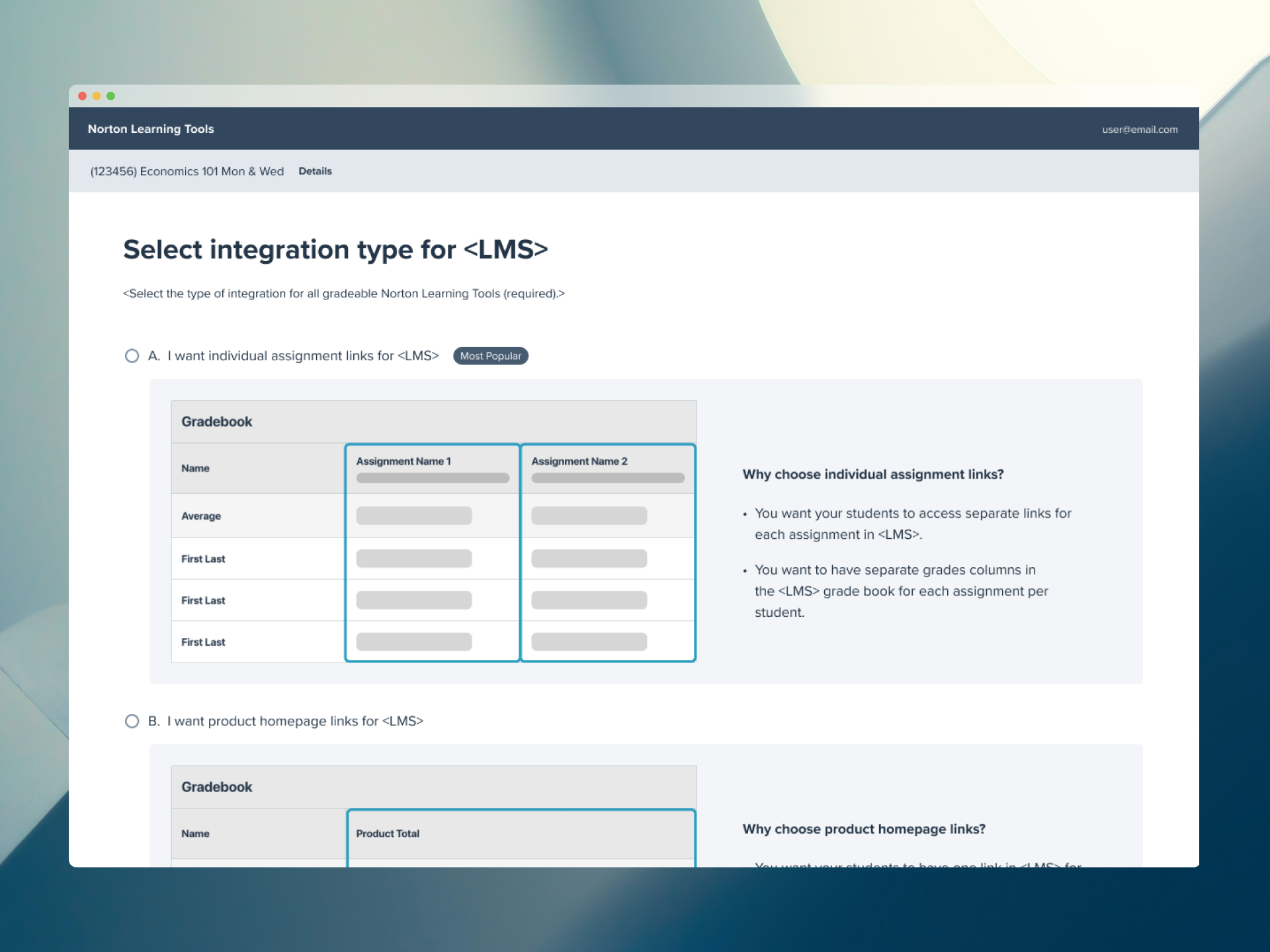
Instructors were unable to choose between two key integration types: linking to a product homepage vs. linking directly to individual assignments—limiting how they structured and presented content within their LMS.
3. No Partner Integrations Support
The existing tool did not support Partner Integrations, and therefore, is missing the opportunity to capitalize on the market.
Opportunity
How might we redesign the Deep Linking Tool to introduce partner integrations and streamline course setup to give instructors greater flexibility and control over assignment creation and LMS integration?
Goals
We converted the key problems into opportunities to solve for during the redesign.
1. Misaligned Assignment Model → Multiple Assessment Model
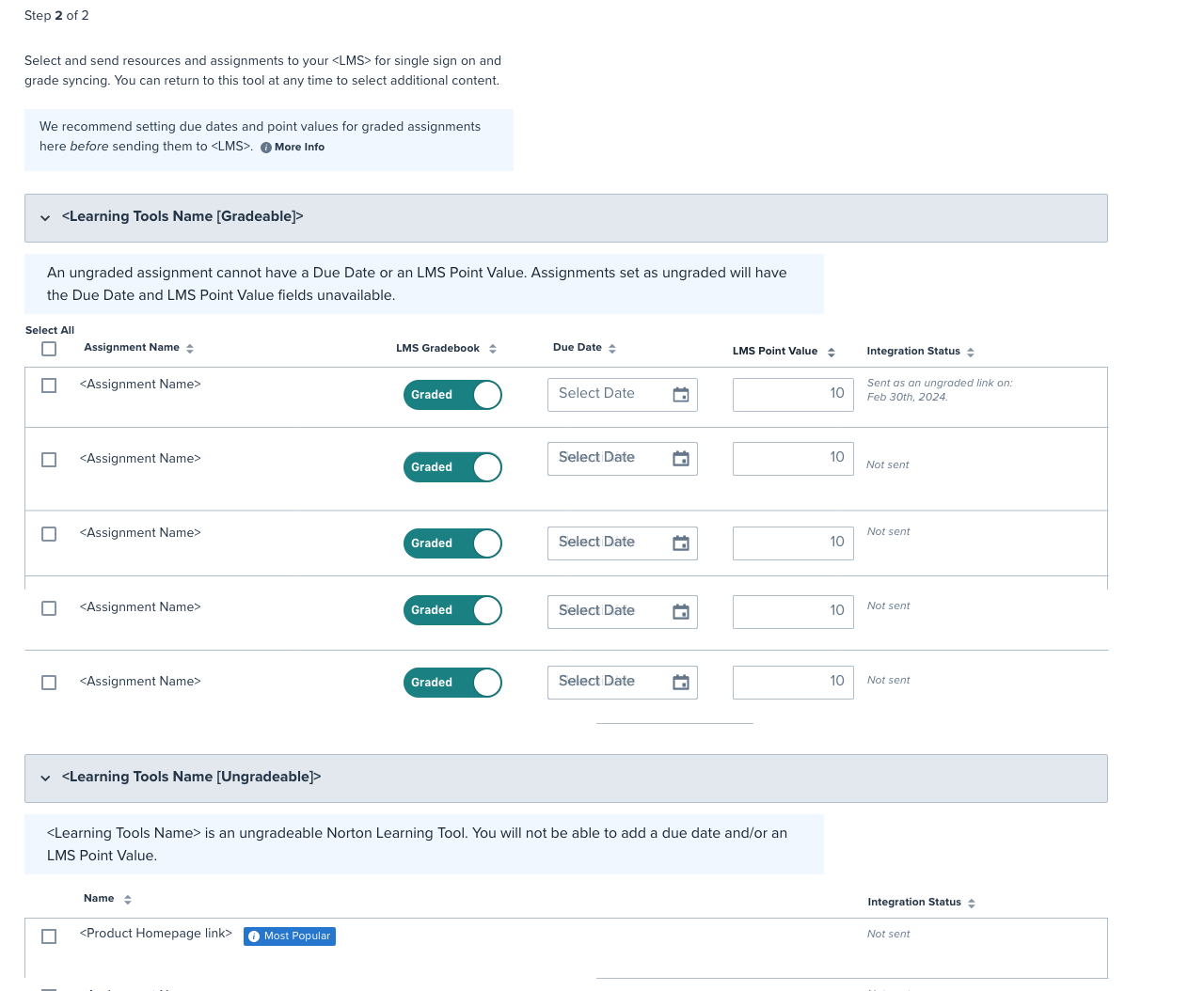
Design a flexible assignment framework that accommodates low-stakes, summative models like the Illumine Ebook, alongside more traditional tools like InQuizitive and Smartwork.
2. Lack of Integration Flexibility → Introduce Integration Settings
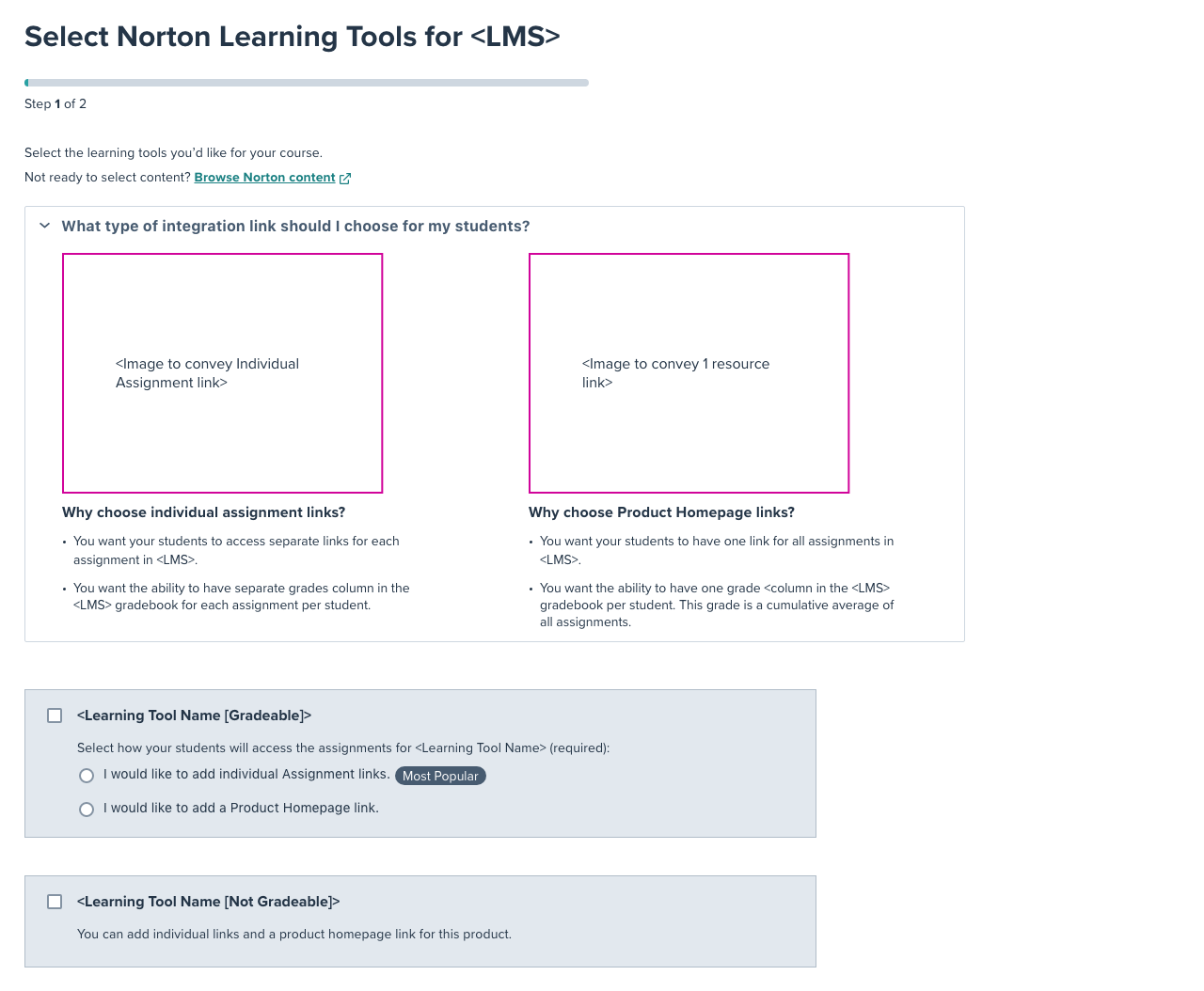
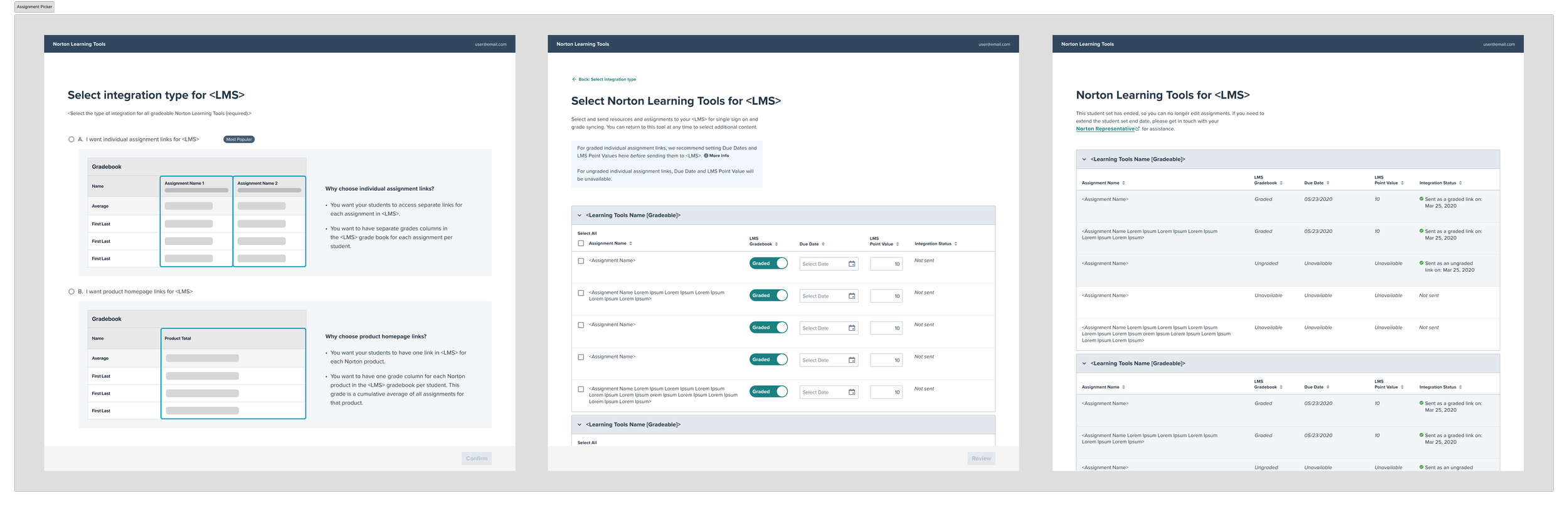
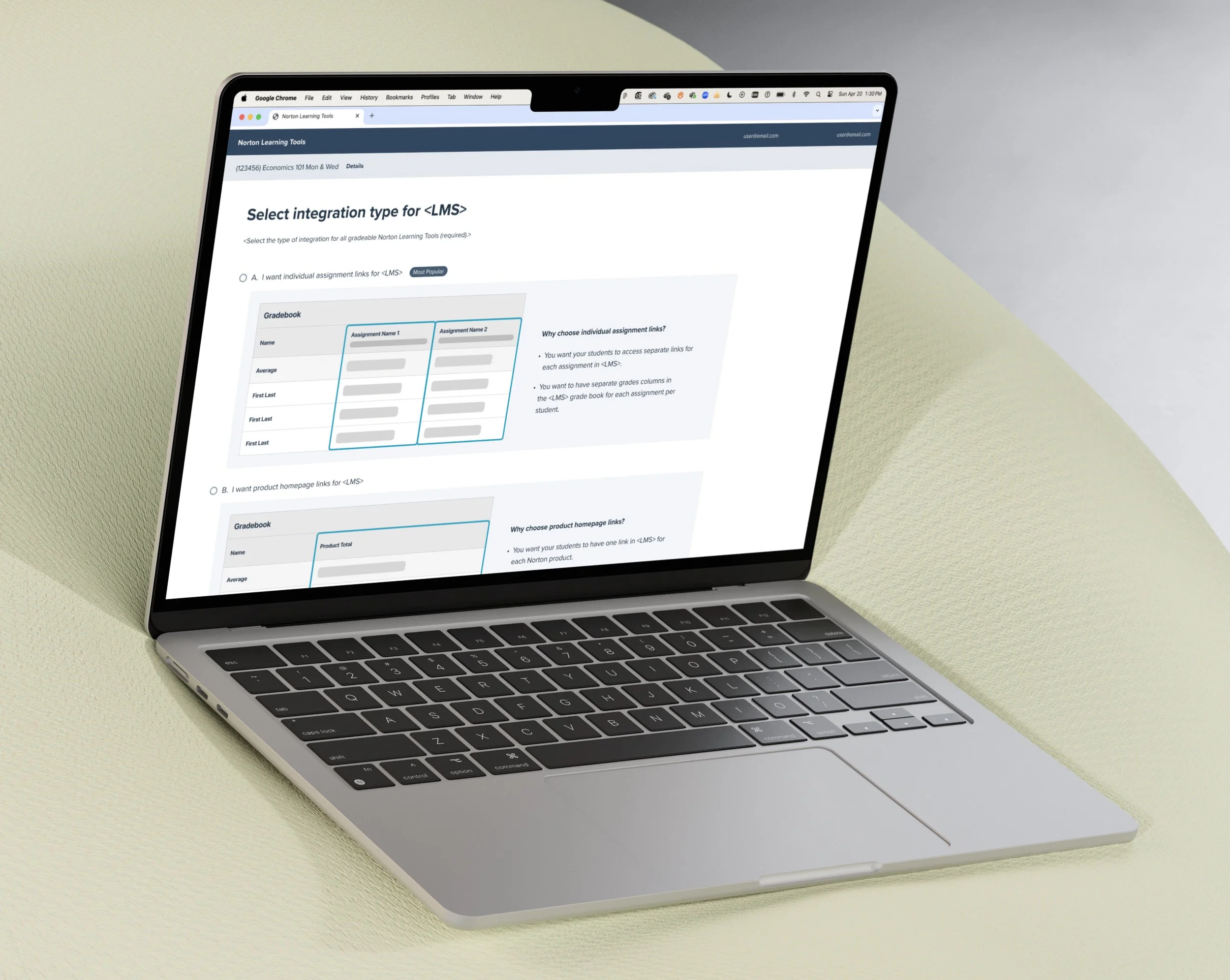
Empower instructors to choose how content appears in their LMS, whether through a centralized product homepage link or direct links to individual assignments.
2. No Partner Integrations Support → New Integration Format
Introduce a flexible integration format that accommodates regular Norton integrations and Partner Integrations formats.
Existing Architecture
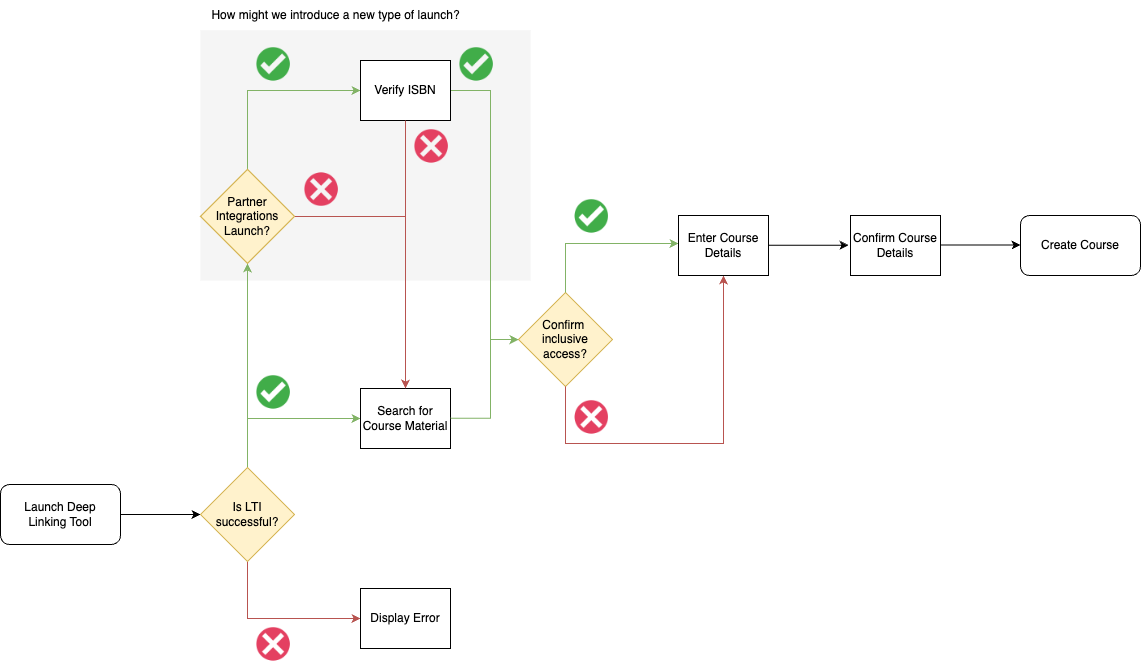
To minimize backend complexity, maintain a consistent and scalable experience, and account for new error scenarios introduced by the updated integration format, we began by mapping the existing architecture.
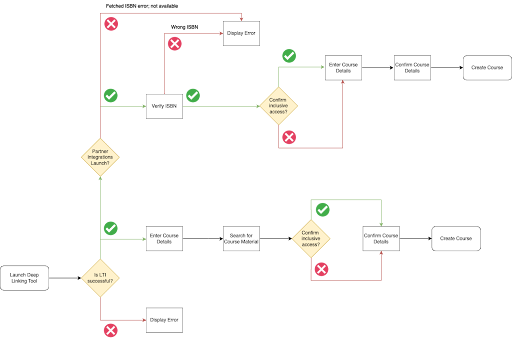
We then ideated a new integration flow, ensuring the entire experience could be completed in four steps or fewer.
Design Iterations
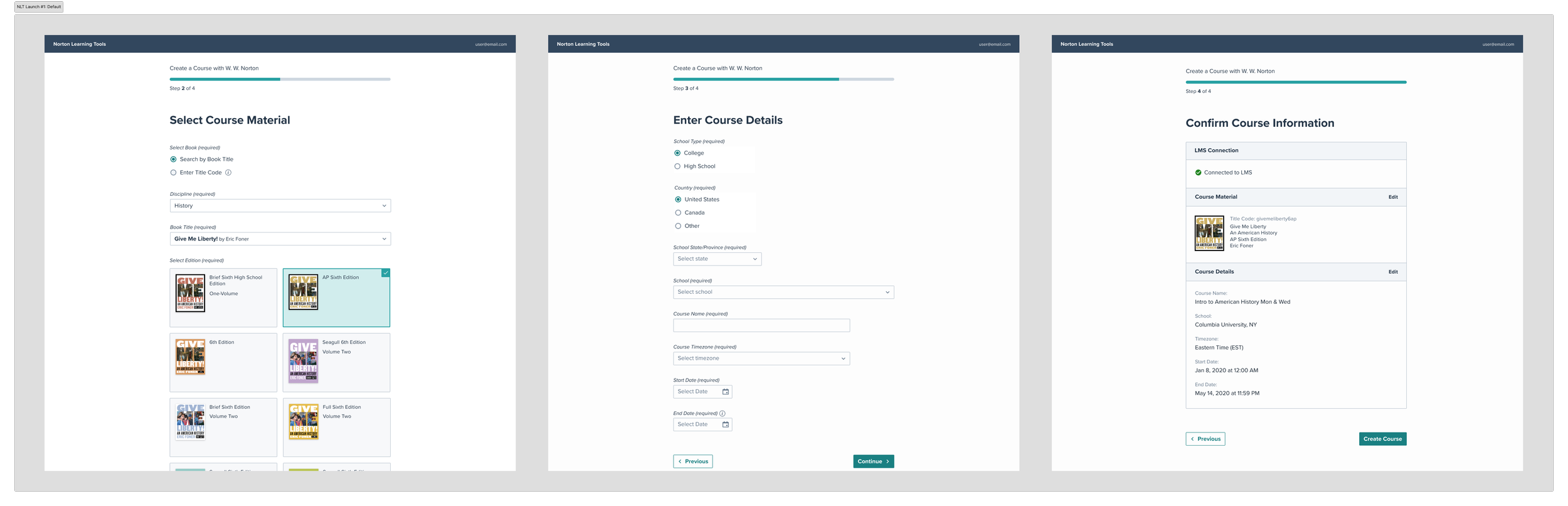
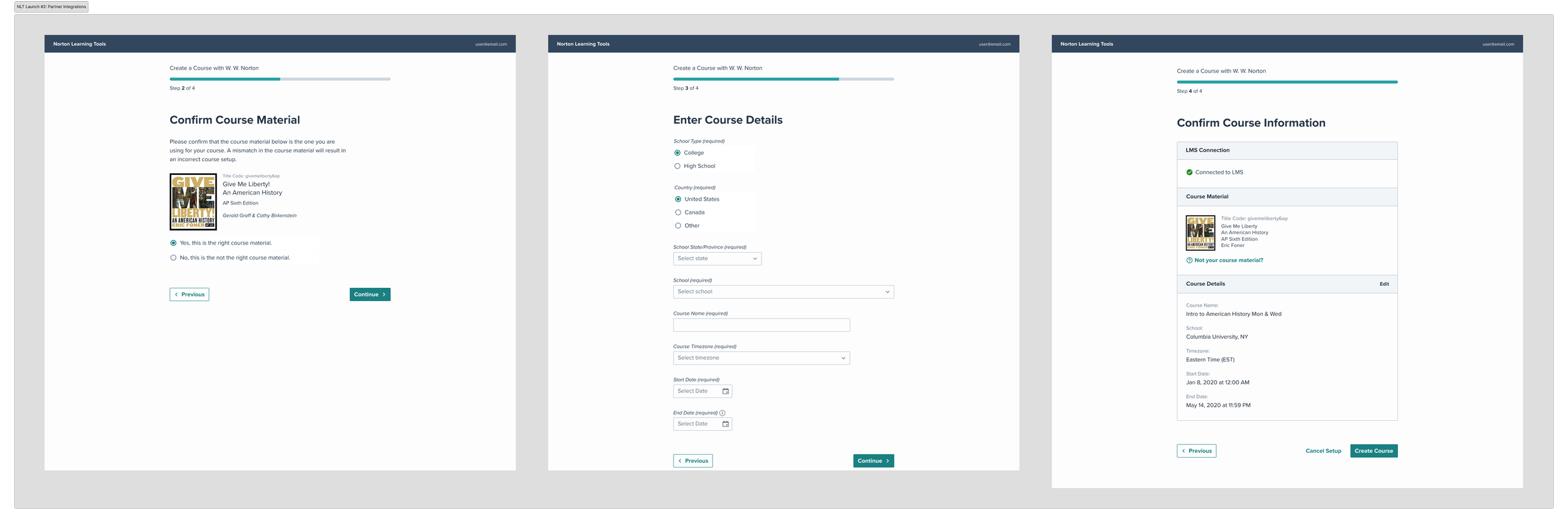
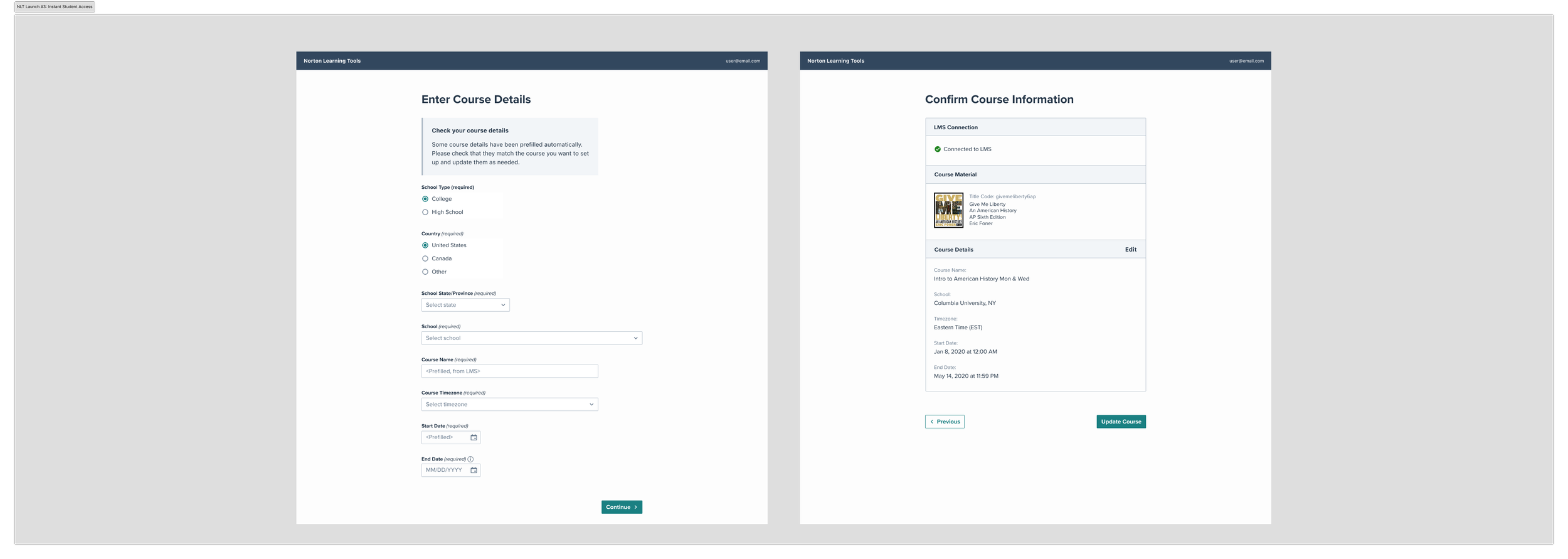
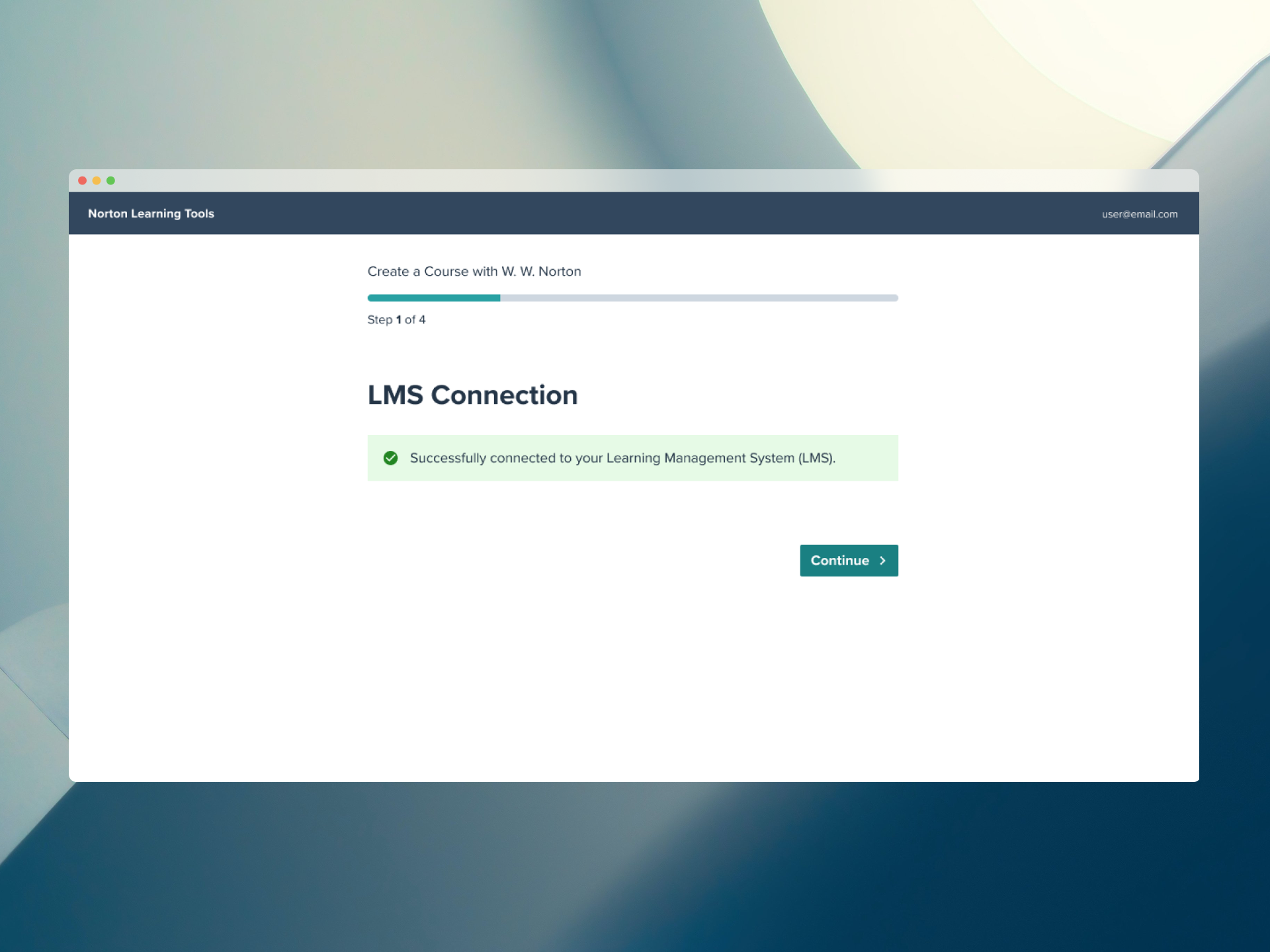
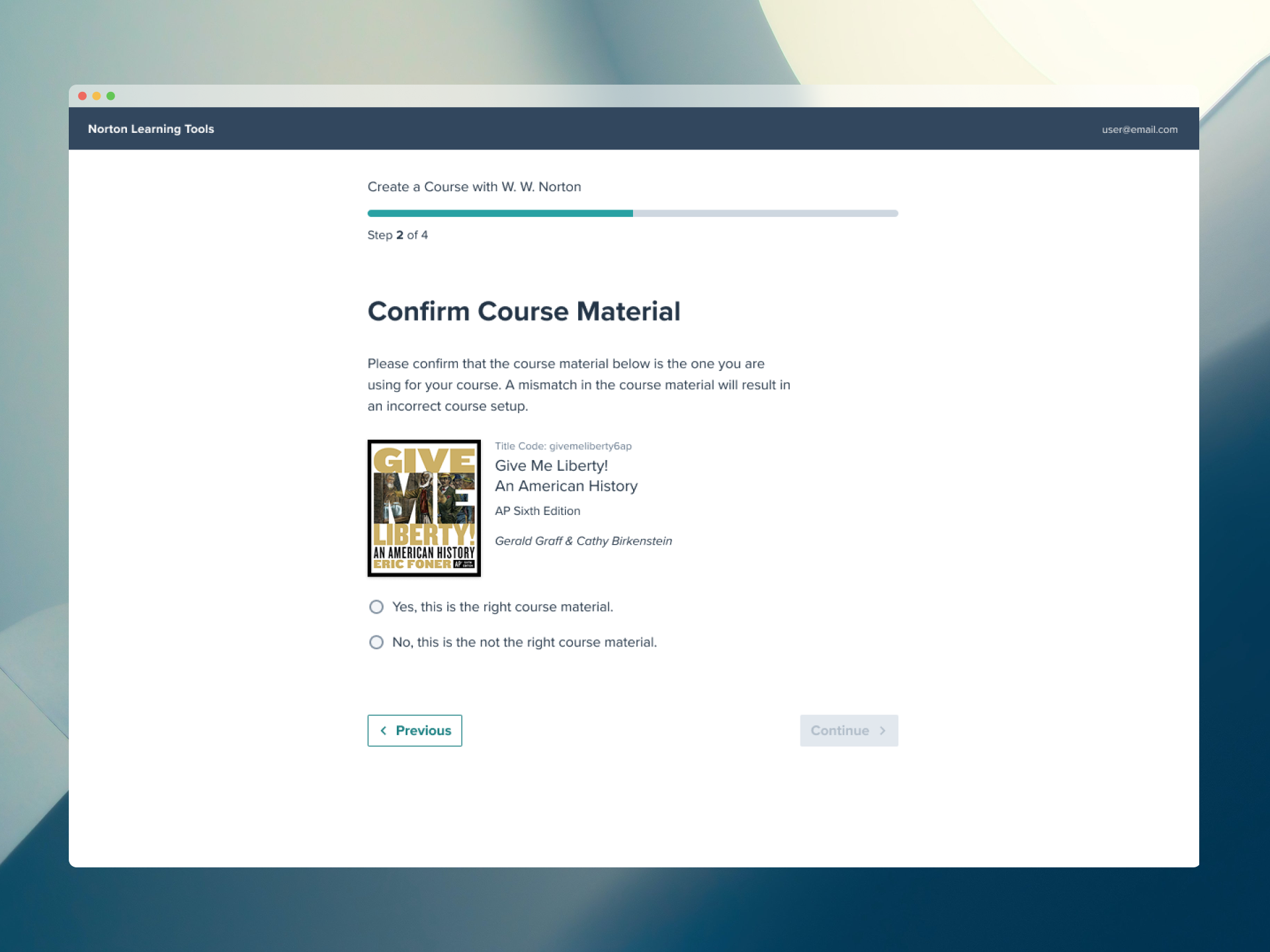
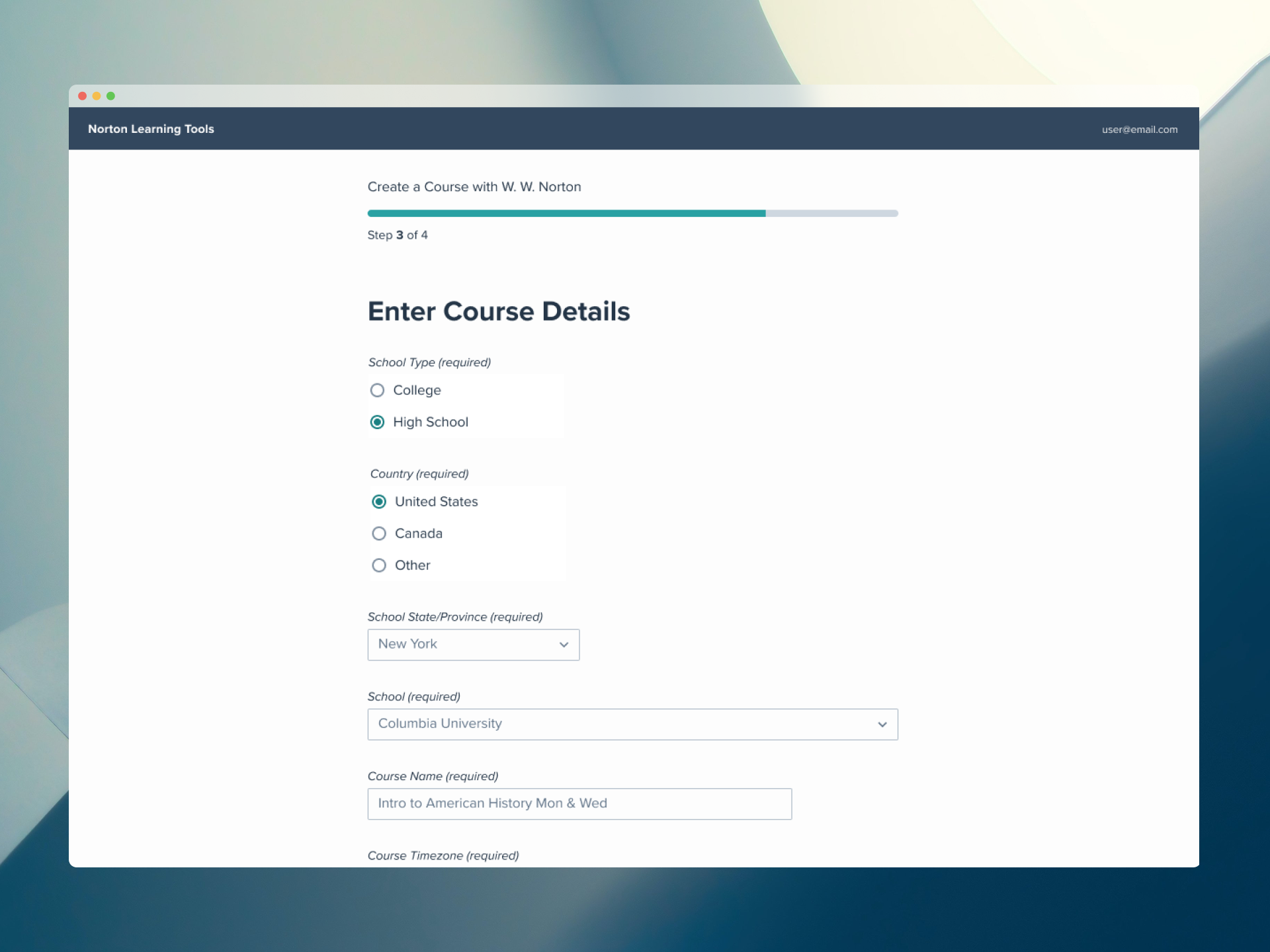
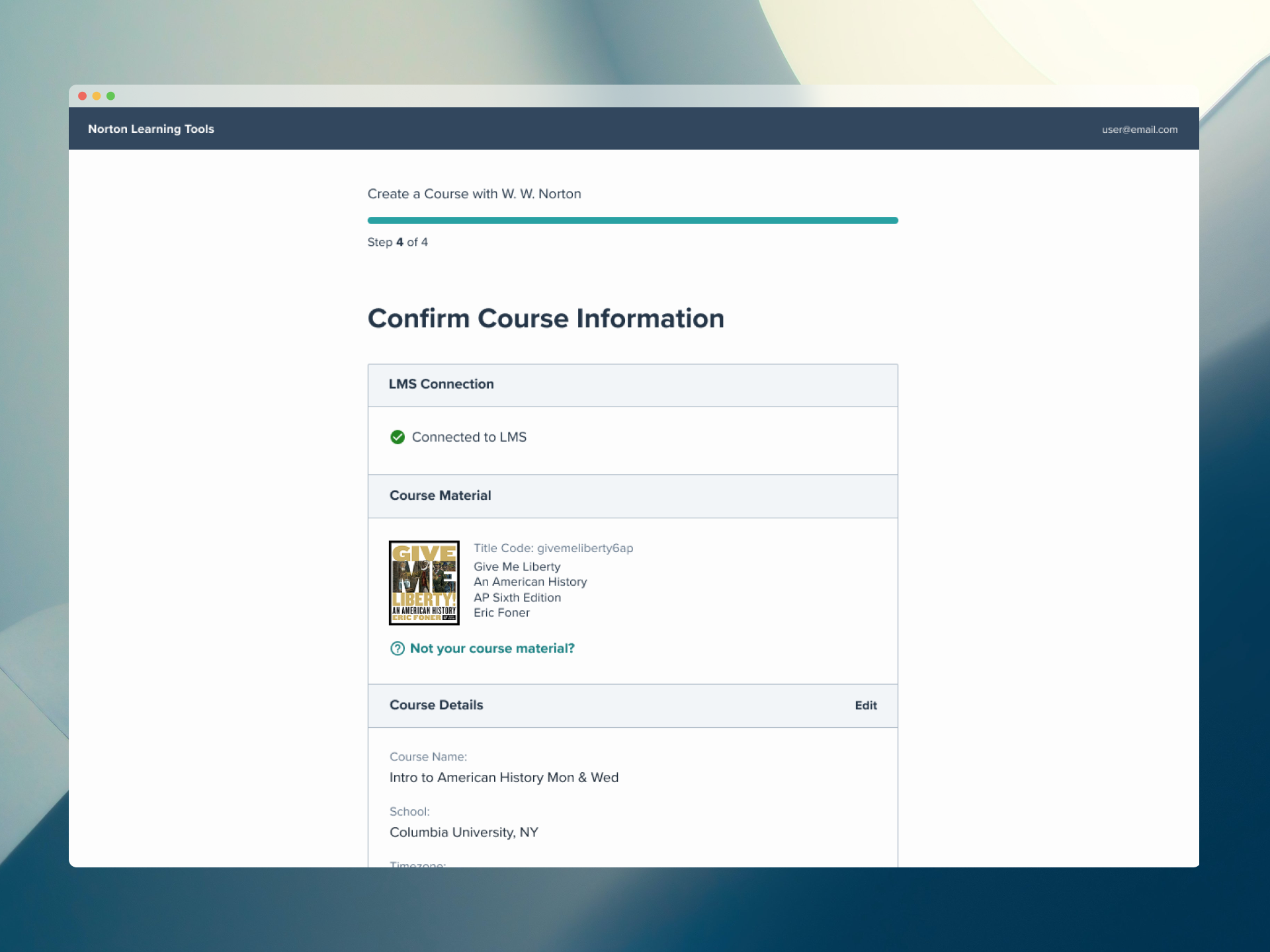
Through a series of collaborative working sessions with the Product Owner and stakeholders, a key structural decision emerged: separating the integration flow into two distinct phases, course creation and assignment selection.
This mirrored how instructors naturally think about setting up their courses, reduced cognitive load by letting them focus on one task at a time, and enabled a more sustainable build strategy.
Rather than launching everything at once, Account Creation shipped across 3 incremental releases tied to existing LMS pre-conditions, reducing risk for both instructors and engineering while keeping the experience consistent throughout.
Redesign Launch
The redesigned Deep Linking Tool launched in September 2024, followed by thorough Visual Quality Assurance (VQA) to ensure the final implementation met accessibility and usability standards.
Impact
Since the redesign, Norton’s Deep Linking Tool has been adopted by over 90 institutions. The updated architecture also expanded integration support to include partner platforms (such as VitalSource and Wilo Labs) and ClassLink integrations, increasing both adoption rate and LMS compatibility.